
Passenger Clearance Statuses (UK /EES/ UAE etc) in Skylegs
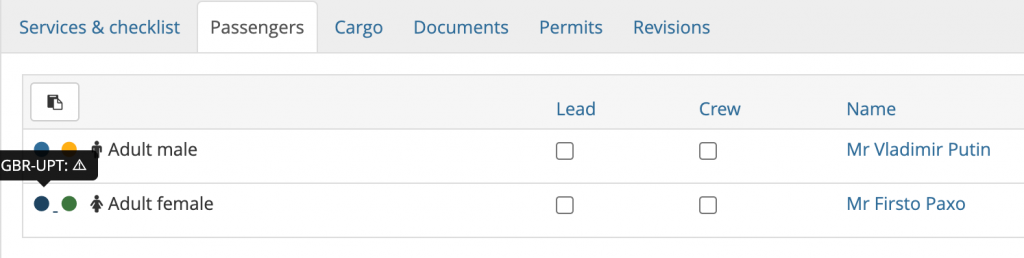
Streamlane’s feedback appears directly within the Skylegs interface as color-coded dots with detailed hover messages. When all three services are activated, three distinct dots are displayed (next to each passenger) and in the flight overview under Mission activities.
To get to Mission activities, go to the Schedule view and click on the Aircraft tab.
The second dot reflects the clearance statuses for passengers and crew returned by state authorities such as UK ETA / eVisa, eu-LISA EES and US TSA etc. You can have multiple status by passenger e.g. one from departure state and one from Arrival state.
The color of the dot indicates the combined outcome :
🟢 Green – All state authorities responded with an OK TO BOARD status
🔵 Blue – At least one authority issued an ADVISORY status (action is required)
🔴 Red – At least one authority responded with a NOT OK TO BOARD status
Hovering over the dot of each passenger and crew reveals the response of each authority:
✓ OK TO BOARD
⚠ Advisory (action is required)
✖ Not OK to Board
Flight view :

Passenger view:
In case of RED or BLUE status, you will receive an email notification with further details (exact status label) and guidance on actions to take.