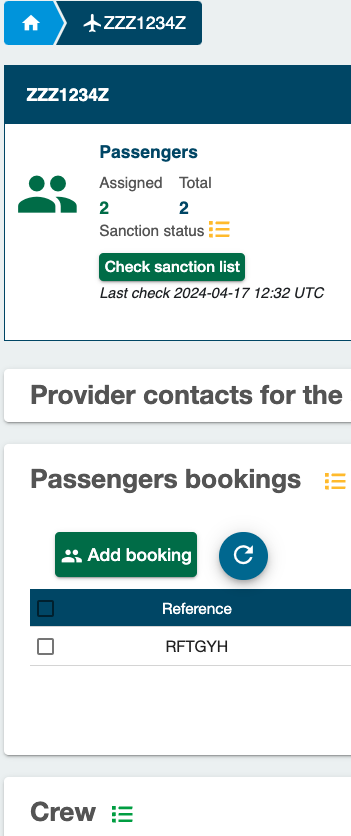
Sanction List Statuses
When the sanction list service is activated, Streamlane automatically screens all passengers and crew against the selected sanction lists (such as EU, UN, OFAC, and others). After screening, the system returns a matching score indicating how closely a traveller’s details resemble an individual on one of these lists.
In addition to the on-screen status, operators also receive an email notification that includes the entry number of the matched individual in the sanction list document, making it easy to locate and review the corresponding record.
Statuses
| Status | Color | Description | Action |
|---|---|---|---|
| OK | 🟢 Green | No match found. | None. |
| Possible Match | 🟠 Amber | Partial name or data match. | Verify and clear manually. |
Sanction list statuses are displayed at the flight, passenger and crew level. If at least one passenger or crew is flagged, the overall status turns amber.
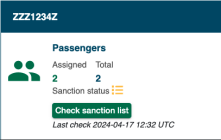
The passengers and crew members are matched against all the sanction lists (including the custom lists). The matching result for all the sanction lists is displayed in the Travel authorizations table (in the Passenger details screen or Crew member details screen):

- In case of no match, a green icon is displayed
- In case of a match, an orange icon is displayed, along with additional details on the match in the Messages column.
Govlink defines a sanction list status at several levels
- at person (passenger or crew member) level: if that person is not matched in any list, the green No match icon is displayed for that person; if that person is matched in at least one list, the orange Matched icon is displayed.
- at booking level: if any passenger of the booking has a Matched status, the status at booking level is also Matched. Otherwise (all the passengers of the booking have a No match status), the status at booking level is No match.
- at passengers level: if any booking has a Matched status, the status at the passengers level is also Matched. Otherwise (all the bookings have a No matchstatus), the status at passengers level is No match.
- at crew level: if any crew member has a Matched status, the status at crew level is also Matched. Otherwise (all the crew members have a No match status), the status at crew level is No match.
- at flight level: if both the passengers and crew level statuses are No match, the sanction list status at flight level is also No match. If the status at the passengers level and/or at crew level is Matched, then the status at flight level is Matched.
In the following example:
- the status at flight level is Matched
- the status at the passengers level is Matched (because a passenger was matched in a given list)
- the status a crew level is No match.